Creative · Sound Blaster G8
Creative Sound Blaster G8 Review: Two USB Sources, One Audio Hub
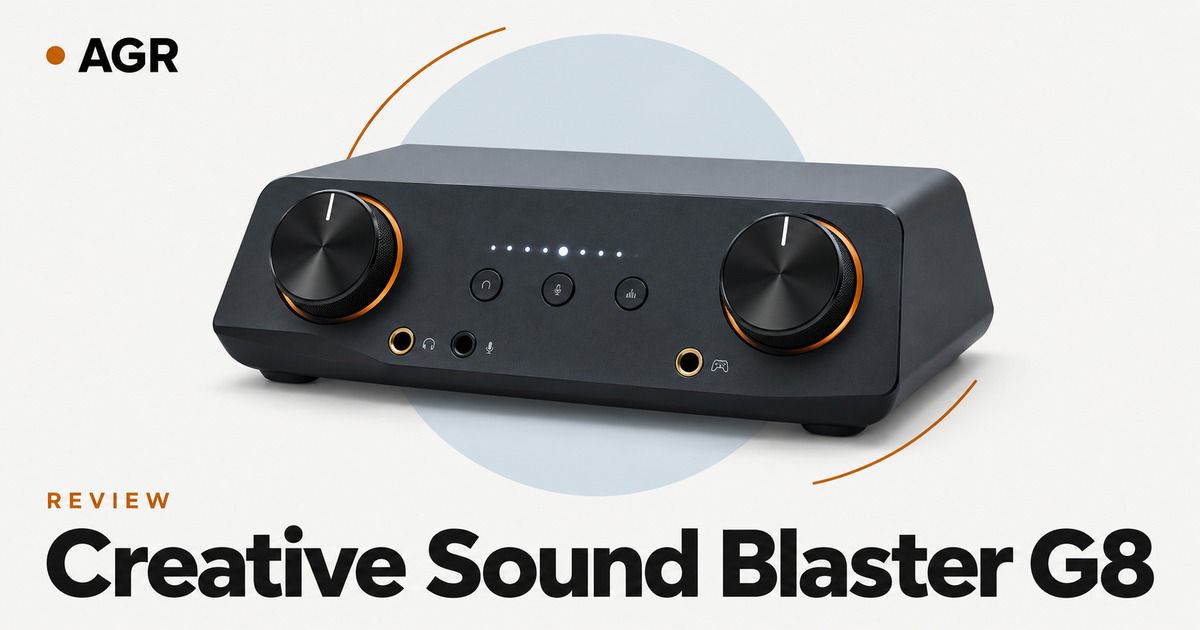
Explore the Creative Sound Blaster G8's dual-USB audio, key connections and specs, setup needs, buying checks, practical calculations, and two alternatives.
Pros
- Model identifier: SB1900
- Device type: External gaming USB audio hub
- USB audio source inputs: Two
- Headphone connection: Analog headphone jack
Cons
- Two connected USB devices do not mean that every feature, stream and microphone route is identical on both. The connection scenario in the manual must match the intended setup.
- Current local warranty terms depend on the seller and destination.
- Complete system cost can include the matching cables, adapters or upstream equipment.
Specifications
| Analog line connections | Line input and line output |
|---|---|
| Device type | External gaming USB audio hub |
| HDMI connection | ARC-labelled TV audio connection |
| Headphone connection | Analog headphone jack |
| Microphone connection | Analog microphone jack |
| Model identifier | SB1900 |
| Optical connection | Input and output shown in quick start guide |
| USB audio source inputs | Two |
Verdict
The G8 is best approached as a routing purchase. A buyer combining computer and console audio should draw the two source paths first, then confirm which host carries playback and which carries microphone return. Two connected USB devices do not mean that every feature, stream and microphone route is identical on both. The connection scenario in the manual must match the intended setup. The purchase price needs confirmation before a firm value comparison.
The Creative Sound Blaster G8 (model SB1900) is best treated as a routing purchase. If you're combining computer and console audio, draw the two source paths first. Then confirm which host carries playback and which carries microphone return. This Sound Blaster G8 review covers the practical compromises that decide whether it belongs in that system.
Creative Sound Blaster G8 Connections: Which Port Does What
Creative lists the model identifier as SB1900. That identifies the product, but a good buying decision also separates the unit itself from the accessories and upstream equipment it needs. A desktop DAC and amplifier can serve several roles, but each socket still has one defined job. USB, optical and coaxial digital inputs accept encoded audio. Analog line inputs accept a signal that has already been converted elsewhere. A line output normally feeds another amplifier or powered speaker, while a headphone output drives a different load. Draw the route before you pick cables. Plugs that fit physically but carry the wrong signal type can give you silence or an unsuitable connection.
Having two USB devices connected doesn't mean every feature, stream and microphone route works the same way on both. Match the connection scenario in the manual to your intended setup. Keep the full model name and your chosen bundle together in your order record. A similarly named listing can change the connector, the generation or the included accessories while looking identical in a store category.
Gaming Audio Routing: Playback, Chat and Microphone Return
Creative describes the Sound Blaster G8 as an external gaming USB audio hub. Gaming adds a return path that plain music playback doesn't need. Sound has to reach your headphones, but microphone audio also has to reach the correct host and application. A console that accepts playback over one connection won't automatically accept microphone return on the same route. A TV optical output can likewise carry playback without carrying a headset microphone back to the console. Label game audio, chat audio and microphone return separately on your wiring plan, then compare that plan with the manufacturer's connection example.
Before you buy, separate what you require from what is merely convenient. Write down the exact source, the receiving input and the role of any adapter. If a feature depends on software, a particular operating mode or another compatible device, count that condition in your decision. A product can meet its own specification and still fail at your task because the rest of the chain doesn't support the same arrangement.
Sound Blaster G8 Specs in Context: Two USB Inputs and File Sizes
Creative publishes the Sound Blaster G8 as having two USB audio source inputs, and that figure comes from the specifications field. Keep in mind that a maximum sample rate describes a supported digital format, not a complete sound-quality result. It doesn't establish noise performance, latency, output power or software compatibility. Headphone power figures also need a stated load, output socket and distortion condition. A balanced rating into a low-impedance load can't be assigned to a single-ended socket, or stretched unchanged to a high-impedance headphone. Ask first whether the route you need and adequate output are both available, before you weigh a file format your everyday content may never use.
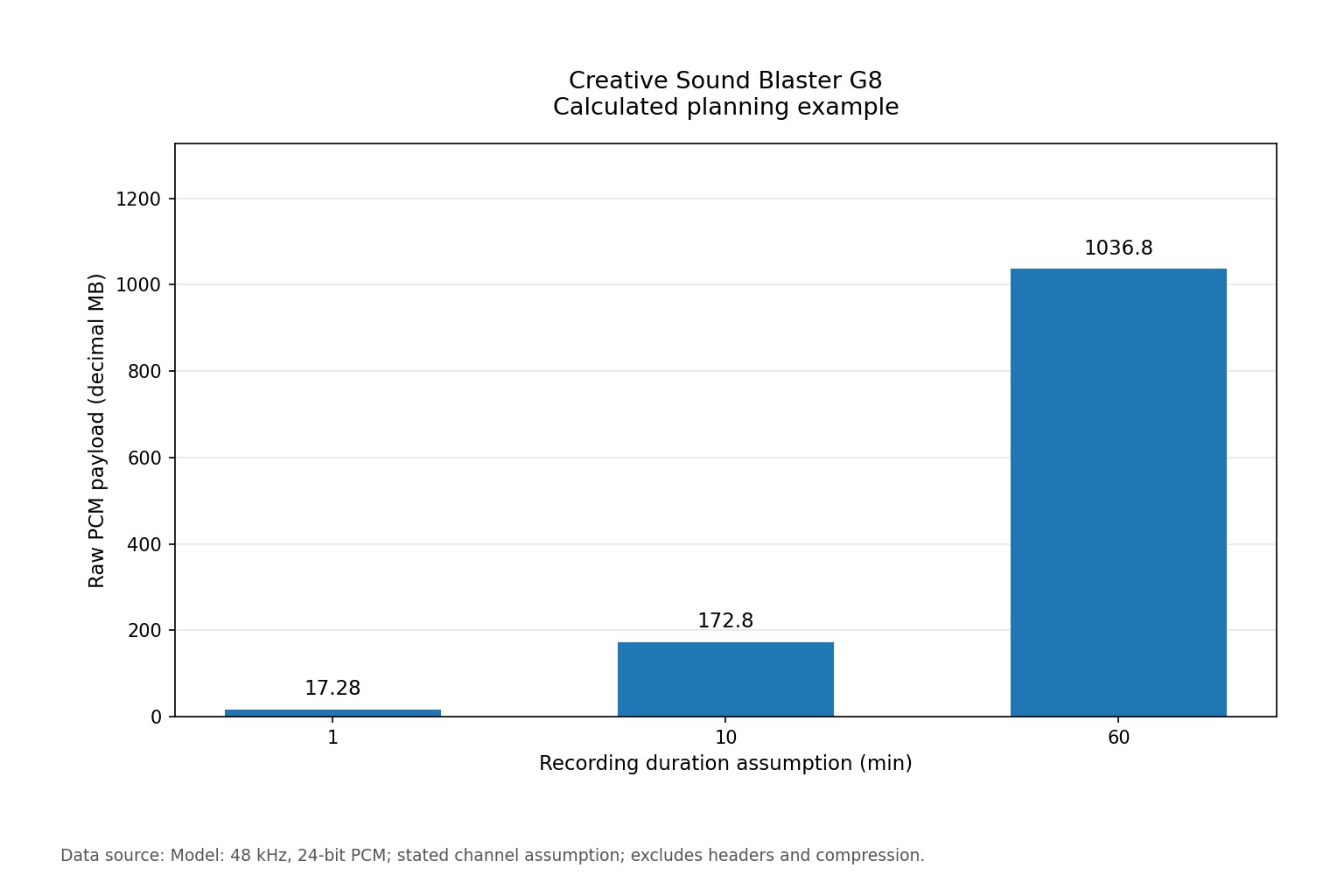
To plan storage, assume uncompressed PCM at 48 kHz, 24-bit, stereo. The raw payload is sample rate × bit depth ÷ 8 × channels × time, which gives 172.80 decimal megabytes for ten minutes. This format is a worksheet assumption, not a claim that every host, mode or product in this comparison supports it.
| Assumed recording duration (min) | Calculated raw PCM payload |
|---|---|
| 1 | 17.28 MB |
| 10 | 172.80 MB |
| 60 | 1036.80 MB |
The Sound Blaster G8 offers two USB audio host inputs, and its documented analog connections are a line input and a line output. Neither detail turns the worksheet into measured performance, but together they show the connection limits your setup has to respect. The calculation excludes file headers, metadata and compression, and it doesn't predict software latency or sound quality. Use it to reserve recording or transfer space after you've picked a format your application supports. An analog microphone has no digital sample rate of its own, because that choice belongs to the interface and recorder later in the route. Streaming codecs use different data rates, so don't treat this uncompressed budget as network bandwidth for a live stream.
How to Set Up the Sound Blaster G8 Step by Step
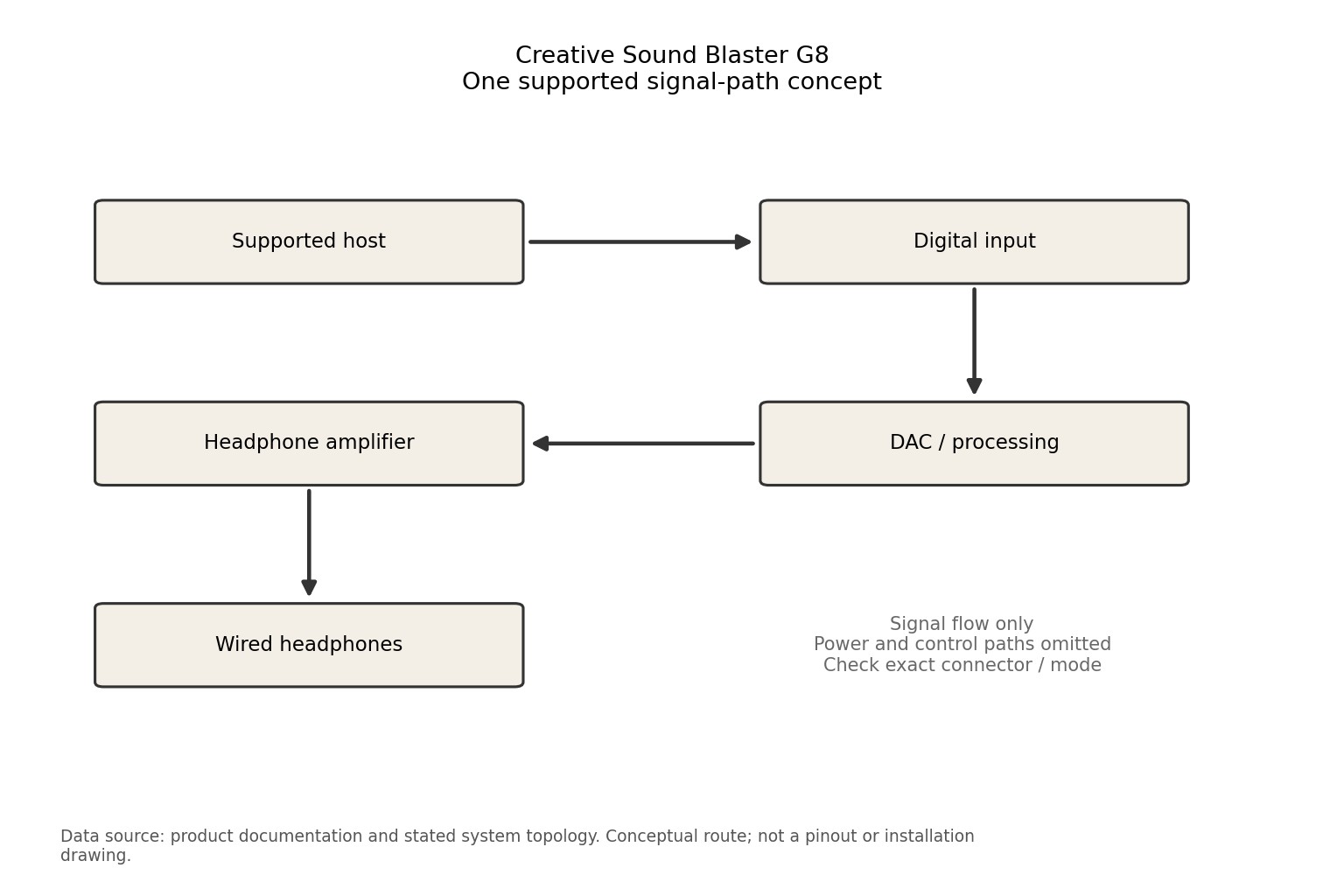
Follow the Creative documentation for the exact connection and power sequence, and keep your first setup simple. Connect one supported host, select the device as the playback destination, attach headphones at a low level, and confirm the output mode you chose. Add microphone return and software processing only after basic playback works. If a game already supplies spatial headphone rendering, adding a second surround processor can change the intended cues. Compare processing arrangements at matched levels instead of assuming more effects mean better sound, and keep a simple route you can restore when an application changes its audio settings.
- Identify the exact Sound Blaster G8 version on the unit, the carton and the invoice, and compare the suffix and region with the documentation you're using.
- Confirm which connector goes where, then list every cable, adapter, power source and support before you compare the total system cost.
- Start with a simple working route. Add processing, extra sources or multi-device functions one at a time so you can tell which change caused which effect.
- Record your initial settings and keep the manufacturer instructions. When something goes wrong, make one reversible change at a single stage instead of changing the whole system at once.
Sound Blaster G8 Alternatives: FiiO K11 and FiiO K7
Two documented alternatives cover a similar role. The FiiO K11 uses a USB Type-C data input and offers USB, optical and coaxial digital inputs. The FiiO K7 uses a USB Type-B data input and adds optical, coaxial and RCA line inputs. Current local prices for these models aren't established here, so the table makes no claim that they cost the same.
| Product | USB audio host inputs (count) | One documented distinction |
|---|---|---|
| Creative Sound Blaster G8 | 2 | Model identifier: SB1900; Device type: External gaming USB audio hub |
| FiiO K11 | 1 | USB input: USB Type-C data; Digital inputs: USB, optical, coaxial |
| FiiO K7 | 1 | USB input: USB Type-B data; Other inputs: Optical, coaxial, RCA line |
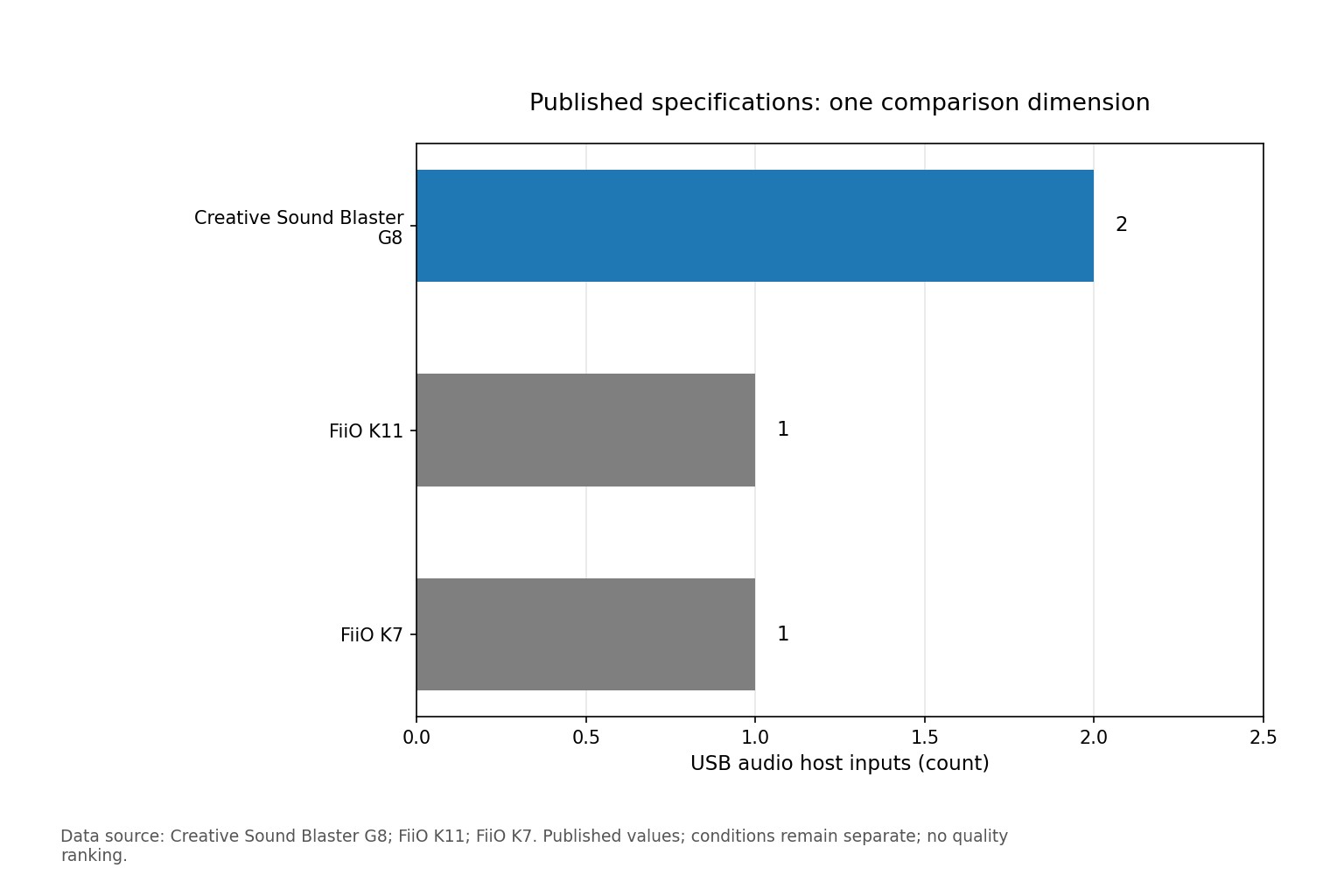
The Sound Blaster G8 lists two USB audio host inputs, against one each for the FiiO K11 and K7. That matters if you want two hosts connected at once, but it's one dimension of the choice, not a ranking. A higher count helps only if your task needs it. Compare the full signal route, physical format, accessories and receiving equipment before reading the difference as an advantage.
Who Should Buy the Sound Blaster G8 and Who Should Skip It
The Sound Blaster G8 is the strongest fit when its role as an external gaming USB audio hub matches a requirement you've already written into your setup plan, such as connecting two USB hosts. Confirm the connections and physical arrangement before ordering. If the purchase depends on an unsupported adapter, an assumed software feature or a different generation, resolve that first instead of treating the unit as a complete solution.
Skip it if a design constraint leaves your intended task unresolved. A different model is worth a look when it removes an extra component or a recurring setup compromise. The cheapest item isn't always the cheapest working system, and paying for features you won't use can leave less budget for the cables, placement and accessories your setup actually needs.
Sound Blaster G8 Price and What to Check Before Buying
A current purchase price for the Creative Sound Blaster G8 isn't confirmed here.
Prices change often, so check the current listing.
Compare the exact package from the manufacturer or an authorized seller against another established retailer that serves your location. Confirm whether the sale unit is one item, a pair or a bundle. Check delivery cost, tax, return terms, local warranty eligibility and included accessories before you call two offers equivalent. A product page that documents a model doesn't confirm its manufacturing status or the terms of a particular seller.
Keep the full model name, any connector variant, the item condition and the seller identity in your order checklist. Ask the seller for clarification if a title and its specification table disagree, and save the receipt and the exact listing description. Base your decision on the documented unit being supplied, and count required accessories separately instead of relying on an undated search snippet or an unrelated product photo.
Troubleshooting Sound Blaster G8 Playback Without Chat Audio
If playback works but chat doesn't, trace microphone return separately from the headphone output. Confirm the input selected in the chat application, the host connection used for capture, and any platform restrictions in the manufacturer's documentation. A working optical playback route doesn't prove that microphone audio can travel back the other way. For the Sound Blaster G8, the documented starting point remains the model identifier SB1900.
Change one thing at a time. Note the source, connection, active mode and the symptom you observe, then adjust only the stage that could explain it. If the change doesn't help, restore the starting state. This approach doesn't replace the manufacturer's instructions, but it stops an ordinary configuration issue from turning into an unsupported claim that the product is defective or that a different accessory must fix it.
Sound Blaster G8 Review Score: 3.5 out of 5 and Its Limits
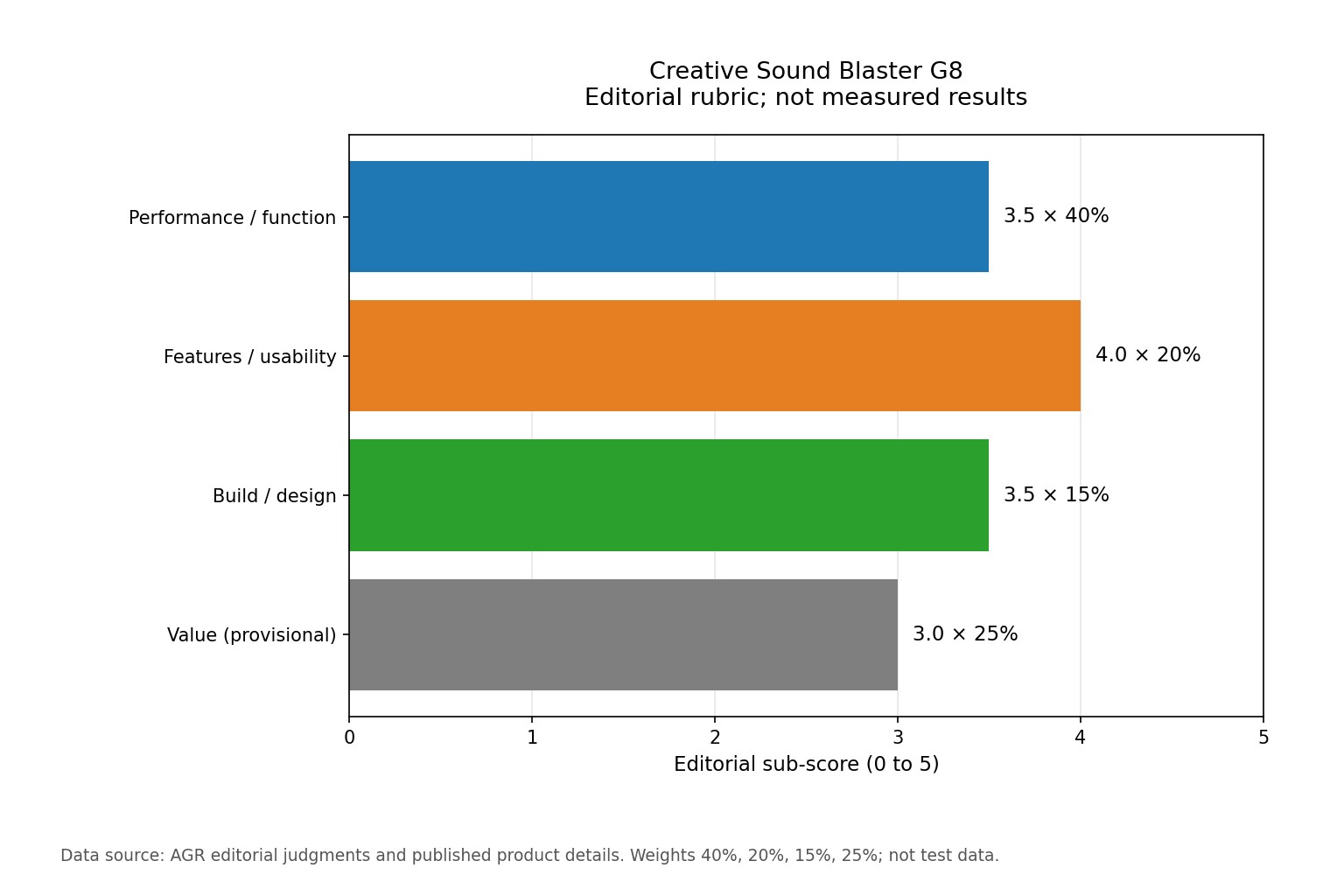
The provisional editorial rating for the Creative Sound Blaster G8 is 3.5 out of 5. The rubric weights performance or function at 40%, features and usability at 20%, build and design at 15%, and value at 25%. These are editorial judgments about the documented purchase, not laboratory results, and the function score covers the stated role and constraints instead of an independently established sound-quality ranking.
| Area | Weight | Sub-score / 5 | Weighted contribution |
|---|---|---|---|
| Performance / function | 40% | 3.5 | 1.400 |
| Features / usability | 20% | 4.0 | 0.800 |
| Build / design | 15% | 3.5 | 0.525 |
| Value | 25% | 3.0 | 0.750 |
The weighted result is 3.475. Rounding to the nearest half point, with a quarter-point tie rounded upward, produces 3.5. The value score stays provisional because a current purchase price isn't confirmed, so you'll need a seller price and a full accessory budget before treating it as a firm value verdict. The case for the Sound Blaster G8 is how well it fits your system, as described above, and the main reservation is the specific constraint covered in the pre-purchase checks.
Our research score is based on the rated figures and documented details above.
Sources and further reading
Creative Sound Blaster G8 FAQ
What kind of setup does Creative Sound Blaster G8 belong in?
Its CMS product category is gaming dacs & amps, and the documented model identifier is SB1900. Match that role to the source and receiving equipment rather than choosing from the product name alone.
Which version of Sound Blaster G8 does this article cover?
The exact model covered is Creative Sound Blaster G8. Check the complete suffix, regional unit and accessory bundle on the actual listing because similarly named versions should not inherit these specifications automatically.
What does the published usb audio host inputs (count) figure say?
The documented figure is 2. It describes that specification only and does not establish an acoustic quality ranking.
Which alternatives should be compared with Sound Blaster G8?
FiiO K11 and FiiO K7 are the documented alternatives in this article. Compare the connection and setup requirements as well as the actual local package prices.
What is the current price of Sound Blaster G8?
The current purchase price is not confirmed. Check the exact variant, sale unit and delivered total before ordering.
What should be checked before ordering Creative Sound Blaster G8?
Match the model spelling, regional version, included accessories and required connection. Confirm the seller return terms and local warranty arrangements in writing.